First-party affiliate tracking: why your affiliate program is losing conversions (and how to fix it)
Safari blocks third-party cookies, Firefox partitions them, and ad blockers strip tracking scripts, so your affiliate program may be missing referred sales it never records. First-party affiliate tracking places the attribution cookie on your own domain, so these browser limits and ad blockers drop fewer of them.
Contents
Your affiliate program is probably losing money right now, and you do not know it. Not because your affiliates are underperforming or your commissions are too low, but because your tracking is silently failing to attribute conversions. The solution is first-party affiliate tracking, but most platforms have not adopted it yet. Every time a Safari user clicks an affiliate link, every time a visitor with uBlock Origin or AdGuard browses your site, every time Firefox's Enhanced Tracking Protection kicks in, your affiliate platform loses the ability to connect that click to a conversion. The affiliate who drove the sale gets nothing. Your data says the customer came from "direct traffic." And you make growth decisions based on numbers that are wrong.
The gap depends on your audience: how many of your visitors use Safari, Firefox, or an ad blocker. You can measure it for your own program with the four checks later in this guide. For a technical audience it is rarely a rounding error. It can be the difference between an affiliate program that compounds and one that quietly dies as your best affiliates leave for programs that actually track their work.
The fix is first-party affiliate tracking. Here is what it is, why it matters, and how to implement it without rebuilding your tech stack.
What is third-party affiliate tracking (and why it is breaking)
To understand why first-party tracking matters, you need to understand how most affiliate platforms handle attribution today.
When you sign up for a traditional affiliate platform that relies on third-party cookies, here is what happens when a visitor clicks an affiliate link:
The visitor clicks a link like
https://yourapp.com/?via=sarahThe link redirects through the affiliate platform's domain (e.g.,
tracking-platform.comortrk.example.com)The platform sets a tracking cookie on its own domain, not yours
The visitor lands on your site
Later, when the visitor converts, a JavaScript snippet on your site reads that third-party cookie and reports the conversion back to the affiliate platform
This worked fine in 2015. It does not work in 2026.
The three forces killing third-party cookies
Safari Intelligent Tracking Prevention (ITP). Apple introduced ITP in September 2017 and has tightened it every year since. Since Safari 13.1 (March 2020), all third-party cookies are blocked by default. No exceptions, no user prompt, no workaround. Safari does not just limit third-party cookie lifespan. It prevents them from being set entirely. Safari holds 18.6% of global browser market share, but the number is higher in key demographics: 27% in the US, 26% in the UK, 31% in Australia, and significantly higher on mobile where iOS dominates.
Firefox Enhanced Tracking Protection (ETP). Firefox's Total Cookie Protection, now on by default, partitions third-party cookies by site. A cookie set by trackingplatform.com when you visit yourapp.com is invisible when you visit othersite.com, and critically, it often does not persist across sessions. Firefox holds roughly 6% global market share, but it skews heavily toward technical users, exactly the audience SaaS companies target.
Ad blockers. This is the big one. A large share of internet users run an ad blocker, and the number is even higher among the audiences that SaaS and ecommerce companies care about. uBlock Origin, AdGuard, Brave's built-in blocker, and privacy-focused browser extensions all maintain filter lists that block known affiliate tracking domains and scripts. If your affiliate platform loads a JavaScript file from cdn.tracking-platform.com or trk.example.com, ad blockers recognize and block it. The affiliate click goes unrecorded. The conversion never gets attributed.
These three forces are not independent. A single visitor using Safari with an ad blocker (which describes a meaningful share of Mac users) has zero chance of being tracked by a third-party cookie system. Google Chrome is the main exception: it tested restricting third-party cookies for 1% of users in 2024, then dropped its plan to remove them for everyone, so the gap mostly comes from Safari, Firefox, and ad blockers.
Why this is not just a "Safari problem"
I hear this objection a lot: "Our analytics show most of our traffic is Chrome, so third-party cookie issues only affect a small percentage." Two problems with that reasoning.
First, your analytics data is also affected by ad blockers. If 30% of your visitors block analytics scripts, your browser share data underrepresents privacy-conscious users. You are measuring the people you can see and ignoring the ones you cannot.
Second, even if Chrome is 65% of your traffic today, the remaining 35% still represents real revenue. If your affiliate program drives $20,000 per month in attributed sales, and 25% of actual affiliate-driven conversions go untracked, you are missing $5,000 per month in affiliate-sourced revenue. Your affiliates are not getting paid for those sales. Your data says those customers came from "direct" or "organic." And your actual affiliate program ROI is 25% better than your dashboard shows. You just cannot prove it.
The real cost of broken tracking
Broken attribution is not just a data cleanliness problem. It creates a cascade of real business consequences.
Affiliates stop promoting you. A professional affiliate tracks their own numbers. If they send 100 clicks to your site and your platform reports 3 conversions while their own analytics suggest 5-6 should have converted, they notice. They do not file a support ticket. They just shift their traffic to a program with better tracking. The affiliates you lose first are your best ones, because power affiliates are the most likely to monitor attribution quality.
You underpay your partners. If 25 out of 100 monthly conversions go unattributed, and your average commission is $40, you are failing to pay $1,000 per month in earned commissions. That is $12,000 per year of value your affiliates generated that you benefited from without compensating them. Even if you do not think of it in ethical terms, it is an economic problem: you are free-riding on promotional effort that will eventually dry up.
Your growth data is wrong. When you look at your channel mix and see that "affiliate" drives 8% of revenue, but the real number is 11%, you underinvest in the channel. You hire another paid ads manager instead of an affiliate manager. You cut affiliate commission rates because the ROI looks marginal. Every decision downstream of broken data compounds the error.
Concrete example. Using illustrative numbers, say you run a SaaS at $15K MRR with a 20% affiliate-sourced revenue target. Your affiliate program generates 100 conversions per month at a $50 average commission (25% of $200 ACV). With third-party tracking losing 25% of attributions:
Tracked conversions: 75
Actual affiliate-driven conversions: 100
Commission paid: $3,750 (should be $5,000)
Reported affiliate revenue: $15,000 (actual: $20,000)
Revenue you attribute to "direct": $5,000
Annual underpayment to affiliates: $15,000
That $15,000 gap is enough to lose your top 3-4 affiliates, who in many programs drive most of the affiliate revenue. This is the core problem that first-party affiliate tracking solves.
What is first-party affiliate tracking
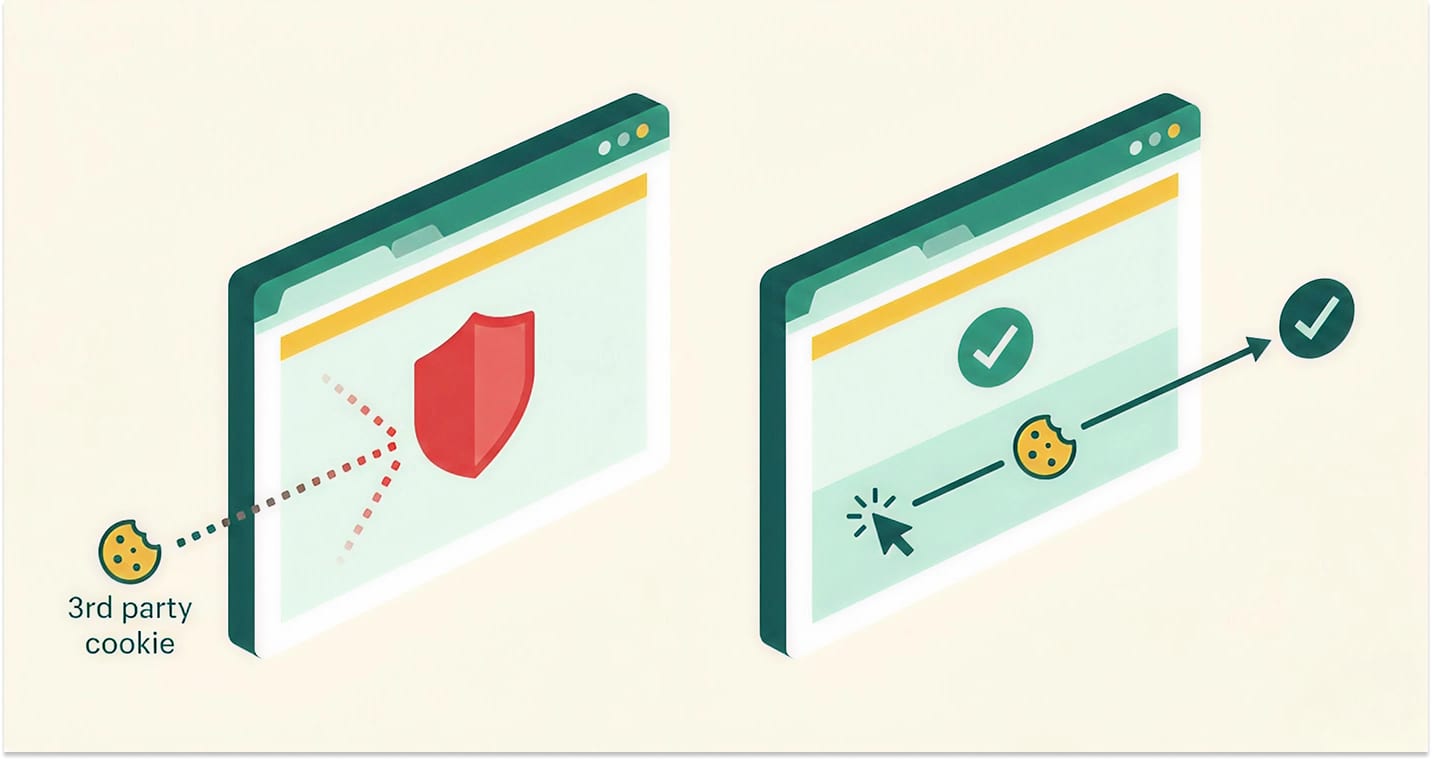
First-party affiliate tracking places the attribution cookie on your domain, not the affiliate platform's domain. Instead of trackingplatform.com setting a cookie that your site reads later, the cookie is set on yourapp.com (or a subdomain like partners.yourapp.com) as a standard first-party cookie.
Why does this matter? Because browsers treat first-party cookies completely differently from third-party cookies.
When you visit yourapp.com and the site sets a cookie on yourapp.com, that is a first-party cookie. It is treated identically to a session cookie, a shopping cart cookie, or a Google Analytics _ga cookie. Safari does not block it. Firefox does not partition it. Ad blockers do not strip it (unless the cookie name matches a known tracking pattern, which first-party implementations avoid).
First-party cookies are how the web works. Your login session is a first-party cookie. Your language preference is a first-party cookie. Analytics tools like Plausible and Fathom use first-party cookies specifically because they survive the privacy landscape that kills third-party tracking.
First-party affiliate tracking uses the same mechanism. The attribution data (which affiliate referred this visitor) is stored in a cookie on the merchant's own domain, where it persists reliably across sessions, survives browser privacy features, and remains readable when the visitor eventually converts.
How first-party tracking works (step by step)
Here is the complete flow from affiliate click to commission payout:
Step 1: Affiliate shares a link. The affiliate promotes a URL like https://yourapp.com/blog/pricing?ref=sarah or, with stealth links, a clean URL like https://yourapp.com/go/best-crm-tools that does not look like an affiliate link at all.
Step 2: Visitor clicks the link. The visitor lands on your site. A lightweight script running on your domain reads the attribution parameter from the URL.
Step 3: First-party cookie is set. The script sets a cookie on yourapp.com (your domain) containing the affiliate identifier, a timestamp, and a unique click ID. This cookie is a standard first-party cookie, the same type as your analytics or session cookies. It is set with a configurable expiration (typically 30, 60, or 90 days).
Step 4: Visitor browses, leaves, returns. The visitor might read your pricing page, leave, come back three days later from a Google search, browse more features, and eventually decide to sign up. Because the attribution cookie is first-party, it persists across all of these sessions. Safari's third-party cookie blocking does not apply to it, Firefox does not partition it, and ad blockers generally leave it alone.
Step 5: Visitor converts. The visitor enters their payment details and completes a purchase or starts a subscription. Your payment processor (e.g., Stripe) processes the charge.
Step 6: Conversion event fires. A Stripe webhook notifies your affiliate platform that a payment was completed. The platform reads the first-party attribution cookie (or the attribution data was already stored server-side when the cookie was set) and matches the conversion to the affiliate who drove the original click.
Step 7: Commission is calculated and logged. Based on your commission rules (flat rate, percentage, or tiered), the platform calculates the affiliate's commission and creates an immutable audit record: which affiliate, which click, which conversion, what amount, what commission.
Step 8: Affiliate gets paid. The commission enters your payout cycle (for example weekly or monthly) and the affiliate receives payment directly to their bank account.
First-party vs third-party: where the difference lives
The critical difference is in Steps 3 and 6. In third-party tracking, the cookie is set on the tracking platform's domain (Step 3) and must be read cross-domain via JavaScript (Step 6). Both of these operations are exactly what browsers and ad blockers are designed to prevent.
In first-party tracking, the cookie lives on the merchant's domain throughout. There is no cross-domain read. Attribution does not depend on a cookie that belongs to another domain. The attribution data is as durable as the merchant's own session cookie.
First-party vs third-party tracking comparison
| Dimension | First-party tracking | Third-party tracking |
|---|---|---|
| Cookie placement | On merchant's own domain (e.g., yourapp.com) | On tracking platform's domain (e.g., platform.com) |
| Safari ITP compatibility | Full: treated as standard first-party cookie | Blocked: all third-party cookies rejected since 2020 |
| Firefox ETP compatibility | Full: no cross-site partitioning applied | Partitioned: cookie isolated per site, often lost between sessions |
| Ad blocker resistance | High: cookie and script from merchant domain | Low: tracking domains are on ad blocker filter lists |
| Attribution accuracy | Higher: fewer referred sales lost to browser and ad blocker rules | Lower: losses grow with your Safari, Firefox, and ad blocker share |
| Cookie lifespan control | Merchant controls expiration (30, 60, 90+ days) | Platform controls expiration, browsers may override to 7 days or less |
| GDPR implications | Simpler: covered under existing cookie consent as first-party | Complex: third-party cookies require explicit consent |
| Implementation complexity | DNS configuration + first-party script | Drop-in JavaScript snippet, simpler initial setup |
| Maintenance burden | Low once configured | Low initially, but degrades as browsers tighten restrictions |
What about server-side tracking and fingerprinting?
First-party cookies are not the only alternative to third-party tracking. Two other approaches come up frequently. Both have trade-offs worth understanding.
Server-side tracking (postback URLs)
Server-side tracking, also called S2S or postback tracking, eliminates cookies entirely. The merchant's server sends a direct HTTP request to the affiliate platform's server when a conversion occurs, including a click ID passed through the URL.
Advantages: No cookies means no browser-related attribution loss. Immune to ad blockers, ITP, and ETP. Very high accuracy.
Disadvantages: Requires the merchant to implement server-side integration: passing click IDs through their signup flow, storing them in their database, and firing postback calls from their backend. For a SaaS founder who just wants to add an affiliate program, this is a significant engineering investment. It also does not handle the common scenario where a visitor clicks an affiliate link, leaves, and returns days later via a different entry point, unless the click ID was stored in a first-party cookie anyway.
Server-side tracking is excellent for performance marketing networks where technical integration is expected. For most SaaS and ecommerce affiliate programs, it adds complexity without solving the core problem better than first-party cookies do.
Browser fingerprinting
Fingerprinting identifies visitors by collecting device characteristics (screen resolution, installed fonts, browser version, timezone, WebGL renderer) to create a unique "fingerprint" without setting any cookie.
Advantages: Works without cookies. Survives cleared cookies and incognito mode.
Disadvantages: Accuracy degrades over time as device configurations change. False positive rates are meaningful. Most importantly, fingerprinting is explicitly called out by GDPR and ePrivacy regulations as a tracking method that requires consent, and major browsers actively deploy anti-fingerprinting countermeasures. Google has publicly stated that fingerprinting is "not a long-term, privacy-respecting solution."
Fingerprinting is a dead end. Privacy regulations and browser vendors are aligned against it, and its accuracy was never good enough for financial attribution.
The pragmatic middle ground
First-party cookies sit in the sweet spot. They are accurate (same mechanism that powers login sessions and analytics). They are privacy-respecting (no cross-site tracking, no device fingerprinting). They are standard (every website uses first-party cookies). And they survive the browser privacy changes that break third-party tracking.
For SaaS and ecommerce affiliate programs, first-party affiliate tracking combined with server-side conversion confirmation (Stripe webhooks) provides the strongest attribution available without requiring merchants to build custom server-side integrations.
Stealth links: the other half of the equation
First-party cookies solve the cookie problem, but there is a second attribution failure point that most merchants overlook: the affiliate link itself.
Traditional affiliate links contain obvious tracking parameters:
https://yourapp.com/?via=sarahhttps://yourapp.com/?ref=abc123https://yourapp.com/?aff_id=456
These URLs have two problems.
Ad blockers recognize them. Filter lists maintained by uBlock Origin and AdGuard include rules that match common affiliate URL patterns like ?ref=, ?via=, ?aff=. Some ad blockers strip these parameters before the page loads, meaning the attribution data is lost before your tracking script even runs.
They look spammy. When an affiliate shares a link on social media, in a newsletter, or in a forum post, URLs containing ?ref= or ?via= signal to readers that this is a promotional link. On platforms like Reddit, HackerNews, and some Facebook groups, affiliate links are explicitly prohibited or algorithmically suppressed.
Stealth links solve both problems. Instead of appending tracking parameters, stealth links use clean paths on the merchant's own domain:
https://yourapp.com/go/best-crm-comparisonhttps://partners.yourapp.com/pricing-guidehttps://yourapp.com/from/sarah
These URLs pass through to the destination page while setting the first-party attribution cookie in the background. They do not contain recognized affiliate parameters, so filters that strip affiliate parameters do not catch them. They look like normal content URLs, so platforms do not suppress them and readers do not reflexively skip them.
Combined with first-party affiliate tracking, stealth links make affiliate traffic harder for filter lists to spot and cleaner for readers, while every click is still tracked.
How to check if your affiliate program has a tracking problem
Before switching platforms or changing your tracking approach, you should confirm that you actually have a problem. Here are four diagnostic steps that take less than 30 minutes.
1. Compare affiliate-reported conversions to your actual payment data
Pull your last 90 days of affiliate-attributed conversions from your affiliate platform. Then pull your actual Stripe (or payment processor) data for the same period. If your Stripe data shows significantly more conversions than your affiliate platform reports, and you know those customers came through affiliate channels, you have an attribution gap.
2. Test your site with an ad blocker enabled
Install uBlock Origin. Visit your site. Open your browser's developer tools (Network tab). Search for your affiliate platform's domain name in the network requests. If those requests are blocked, your affiliate tracking does not work for any visitor who uses an ad blocker.
3. Test in Safari private browsing
Open Safari. Open a private window. Click one of your affiliate links. Complete your signup flow (use a test account). Check your affiliate platform. Did the conversion register? If not, your Safari users are invisible to your affiliate tracking.
4. Ask your top affiliates
This is the most underrated diagnostic. Send a message to your top 5-10 affiliates: "Have you noticed any gaps between the traffic you send us and the conversions we report?" Power affiliates track their own click-through rates and conversion estimates. If multiple affiliates report discrepancies, your tracking has a problem.
Who should care about first-party tracking
First-party tracking is not universally necessary. Here is an honest assessment of when it matters and when it does not.
First-party tracking is critical if:
Your audience is technical. Developers, SaaS operators, and IT professionals are more likely than average to run ad blockers. If you sell to this audience, third-party tracking can miss a large share of referred sales.
You sell primarily on desktop. Ad blockers are more common in desktop browsers than on mobile, so desktop-heavy traffic loses more third-party attributions.
Safari is a meaningful share of your traffic. If 15%+ of your traffic is Safari, third-party cookies do not work for those visitors at all.
Your average commission is high enough to matter. If you pay $50+ per conversion, every missed attribution is $50+ of earned commission your affiliate never sees.
You are investing in growing your affiliate program. If you are actively recruiting affiliates and measuring program ROI, bad data makes every decision unreliable.
Third-party tracking may be sufficient if:
Your primary channel is coupon or promo code attribution. If your affiliates distribute discount codes rather than tracking links, attribution happens through the code itself, so cookies are irrelevant.
Your audience is primarily mobile app users. App-based attribution uses SDKs and device identifiers, not cookies.
You have a very small affiliate program with low volume. If you are doing 20 conversions per month, manual reconciliation can catch attribution gaps.
Your audience skews non-technical. If your customers are in demographics with low ad blocker adoption, third-party tracking losses are smaller.
The key question is: can you afford to miss referred sales your dashboard never shows? If the answer is no, first-party affiliate tracking is not an upgrade. It is a requirement.
How Komissio implements first-party affiliate tracking
Komissio uses first-party affiliate tracking by default. Here is what that means in practice.
Attribution cookie on your domain. When a visitor clicks an affiliate link, the attribution cookie is set on your domain (e.g., yourapp.com), not on komissio.io. The cookie is a standard first-party cookie that browsers treat identically to your own session or analytics cookies.
Custom tracking domains. On the Enterprise plan, you can point a subdomain like partners.yourstore.com to Komissio's tracking infrastructure via CNAME, so affiliate links and click tracking run on your own domain.
Stealth links. On the Enterprise plan, affiliates get clean URLs on your domain that do not contain recognizable affiliate parameters. Links like yourapp.com/go/pricing-comparison pass through to the destination page while setting attribution, so filters that strip ?ref= style parameters are less likely to catch them, and the links read like normal site URLs.
Stripe webhook conversions. Conversions are confirmed server-side via Stripe webhooks, not client-side JavaScript. When a payment is processed, Stripe sends a webhook to Komissio, which matches the conversion to the stored attribution data.
Real-time dashboard. On the Growth plan, affiliates see conversions in their dashboard as they happen, powered by Socket.IO. No waiting for batch processing or next-day reports.
Traceable payouts. Every payout carries a Stripe reference you can share with the affiliate, and the Enterprise plan adds audit logs.
Pricing. First-party tracking is included on every plan, and the Starter plan is $49/month. Custom tracking domains and stealth links are part of the Enterprise plan. Every plan starts with a 14-day free trial, or you can explore a demo account first.
If you are evaluating how Komissio compares to other platforms on tracking, pricing, and features, the Komissio vs Rewardful vs FirstPromoter comparison breaks down the specifics.
Frequently asked questions
Does first-party tracking work with Safari?
Yes. First-party cookies on Safari work the same way as any other first-party cookie. Safari ITP specifically targets third-party cookies. First-party cookies set on the merchant's own domain are not affected by ITP. Safari does cap some first-party cookies set via JavaScript to 7 days under certain conditions (cookies set via document.cookie when the referring domain is classified as having tracking capabilities), but server-set first-party cookies (via HTTP Set-Cookie header) are not subject to this cap.
Is first-party affiliate tracking GDPR compliant?
First-party cookies used for affiliate tracking generally fall under "legitimate interest" or "performance of a contract" legal bases under GDPR, since they are essential for the merchant to fulfill their obligation to pay affiliates for referred sales. That said, best practice is to include affiliate tracking cookies in your cookie consent mechanism and cookie policy. First-party cookies are simpler to handle under GDPR than third-party cookies because they do not involve cross-site tracking. Consult your legal counsel for your specific situation. This is not legal advice.
Can I switch from third-party to first-party tracking without losing my affiliates?
Yes. Affiliates keep promoting you; they only swap the links they share. When you move to a first-party tracking platform like Komissio, you invite your affiliates, they get new tracking links, and all future clicks use first-party attribution. Export your historical commission data from your old platform before you switch, and tell affiliates the date the new links take effect.
What happens if a visitor clears their cookies?
If a visitor clears all their cookies between clicking an affiliate link and converting, the attribution is lost, regardless of whether the cookie was first-party or third-party. Clearing cookies mid-journey affects every cookie-based system equally, though. First-party tracking still improves attribution because it removes the losses caused by third-party cookie blocking in Safari and Firefox and by ad blockers.
How long does a first-party attribution cookie last?
This is configurable by the merchant. Common cookie windows are 30 days (standard for most SaaS), 60 days (common for higher-ACV products), and 90 days (used by enterprise SaaS with extended evaluation periods). Komissio lets you set the attribution window. Unlike third-party cookies, where browsers may override your expiration to 7 days or less, first-party cookies set by the server keep the expiration you set.
Do I need to change my website code to use first-party tracking?
You add a small amount of code, but you do not rebuild your application. Setup means connecting Stripe with OAuth, so conversions arrive through Stripe webhooks, and adding a lightweight tracking script to your site (similar to adding Google Analytics: one <script> tag in your site header). On the Enterprise plan, a custom tracking domain adds one DNS step: a CNAME record pointing partners.yoursite.com to Komissio's servers.
Related reading: what an affiliate program actually costs | how to pay affiliates with Stripe
Stop leaving conversions on the table
If you have read this far, you probably suspect your affiliate program has a tracking problem. The mechanics are not complicated: ad blockers are common, Safari blocks all third-party cookies by default, and Firefox partitions them. Each of those limits means referred sales that third-party cookie tracking never records, and the size of the gap depends on your audience.
First-party affiliate tracking is not a nice-to-have feature or a technical curiosity. It is the minimum viable infrastructure for an affiliate program that produces accurate data and pays affiliates fairly.
If you want to see first-party affiliate tracking in action, explore the Komissio demo, or start with a 14-day free trial on any plan. If you are comparing options, read the Komissio vs Rewardful vs FirstPromoter breakdown or the guide to launching a SaaS affiliate program. And if you are still figuring out whether an affiliate program or a referral program is the right model, this comparison will help you decide.
Questions? Get in touch. Real humans, not chatbots.